

The UI
tflw ui reads a project of .tflw files back as a page in your browser: the tests you have, what
they are for, what happened when they last ran, and — since the authoring surface landed — a way to
write them without typing the syntax.
It is not a dashboard. Nothing is uploaded, no account is involved, and the page has no state of its
own: it reads the files on disk and writes files back to disk. Close it and the project is exactly
what tflw run and git see.
Opening it
Section titled “Opening it”npx tflw uiThat serves the directory you are standing in and opens a browser at it. The line it prints is the address, and the address carries a token minted for this start:
tflw ui — . at http://127.0.0.1:4141/?token=Kq8…Zw (loopback only, this URL carries the session token; Ctrl-C to stop)Open that URL — or let the command open it — and the page is yours; a bare http://127.0.0.1:4141/
in a browser that has never opened it says so and stops. Point it somewhere else by naming the
directory, pick the port yourself, or keep the browser out of it:
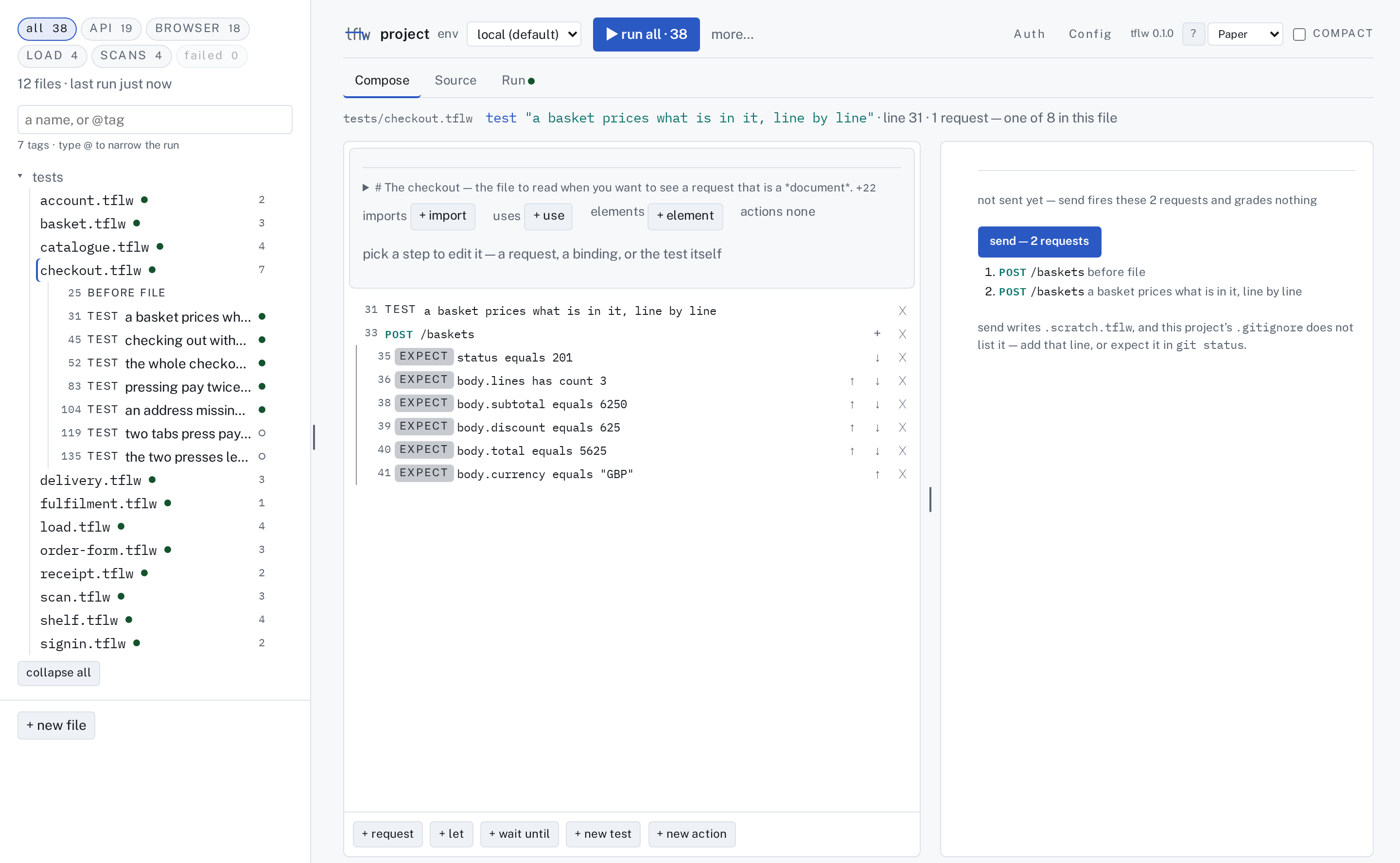
npx tflw ui ./testsnpx tflw ui --port 4144npx tflw ui --no-openEvery picture on these pages is of one project, and it is a real one you can run:
examples/storefront in this
repository — a shop with a catalogue, a basket, a delivery form, an order page and a crawl. From a
clone, npm run example starts it and runs the suite against it; npx tflw ui examples/storefront
opens the page these shots were taken of. Nothing here is a mock-up.
An empty directory is not an error. The page offers to make a project and asks one question — which
kind of test to start with — and the answer is tflw init's own flag. See The four kinds.
What you are looking at
Section titled “What you are looking at”The page opens on the project itself. Across the top is one header: the project's name, the env a
run reads, ▶ run with what it will run and how many (▶ run all · 38), and on the right the two
project facts — Auth and Config — then ?, the theme and compact. Under it, one file's three stages:
Compose, Source and Run.
Down the left is the file list, and at its head the four kinds — API, BROWSER, LOAD
and SCANS — as chips, with all in front. A chip is a count and a filter in one: press LOAD
and the list shows the files holding a load test, and ▶ runs exactly those tests. A kind is earned
by the statements a test carries, so one test can be counted under more than one chip, and a test
built only out of statements no kind is about — a call, a binding, an assertion on its result — is
under none of them and still under all:
action signIn(email, password)  api POST /login body { email: "{email}", password: "{password}" }  expect status equals 200  capture body.ok as signedIn  give signedIn
test "signing in is one line, because the shop does it in every other test"  let ok = signIn("sam@example.com", "hunter2")  expect {ok} equals true
The action carries the api step, so it is API work — and the test below, which is a call, a
binding and an assertion, is of no kind. It still runs, and all still counts it.
That shape does not change from file to file, which is what the spine means.
Which file the page opens on. With no file in the address, the page opens on the file you had open last time in this browser, for this project; the first time, on the file declaring the most tests — ties broken by path — at its first test, not at a hook above it. A project with no file yet says so and offers one.
The keyboard. The file list, the header's right-hand words and the tab strip are one Tab stop
each, and the arrow keys move inside them. Press ? for the legend, which also says what each panel
is for.
| keys | does |
|---|---|
| ⌘S / Ctrl+S | write the file — works inside a field too |
| ⌘↩ / Ctrl+Enter | run this file — works inside a field too |
| ⌘⇧↩ / Ctrl+Shift+Enter | run what is selected |
| ⌘P / Ctrl+P | go to the file list |
/ | search the project |
? | the legend |
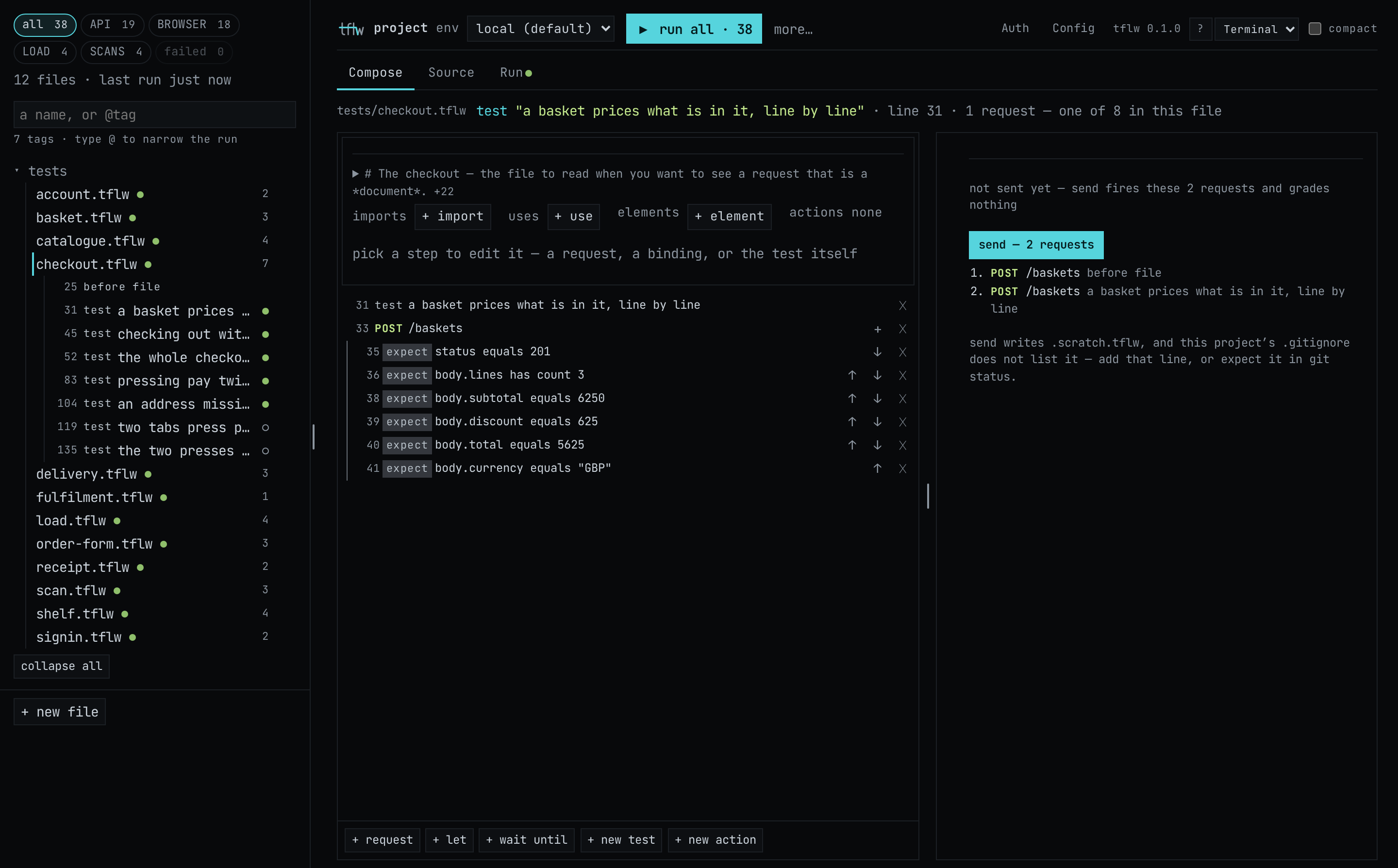
The pictures here are the Paper theme, which is what the page opens in until you pick another; the dark pictures are Terminal.
What it is for
Section titled “What it is for”The page answers three questions that a terminal answers badly:
- What is in this project? A directory of
.tflwfiles tells you their names. The page tells you what each one tests, which ones failed, and which ones the checker cannot parse. - What happened last run?
tflw runwrites areport.htmlyou open afterwards. The page reads the same run in place, beside the source that produced it. - What would this test look like? Composing a step in place and reading the
.tflwline it becomes is a faster way to learn the language than writing it and running the checker.
None of that replaces the command line. tflw run is what CI executes and what a commit is judged
by; the page is where a person works before that.
The rest of this section
Section titled “The rest of this section”- The spine — the header, the file list and the three stages: the shape every surface here shares.
- The four kinds — what a chip decides, what it does not, and why a test can be of more than one kind.
Then one page per kind, each on a real test:
- API tests — a request, the assertions that read it, and Send.
- BROWSER tests — gestures against a real page, and why the scaffold stops after one line.
- LOAD tests — a workload, the plan panel it earns, and the threshold the checker insists on.
- SCANS — the targets block, the severity floor, and what it cannot scaffold.
And then:
- Reading a run — one verdict, the failures first, and the trace in place.
- What the page will not do — stated plainly, because some of it is deliberate.